
Javascript: The Definitive Guide
I’ve seen “free” web sites that would open two web pages on entering their page, and then try to open web pages on leaving their site as well! Because of this, many people—justifiably—turn off Javascript alltogether. It’s easy enough to do, it just requires going into a browser’s preferences and turning off “Javascript” or “ECMAScript”. Presto! No more annoying pop-ups. Unfortunately, it also turns off useful Javascripts; smart web designers will design their pages so that users will still get basic functionality, but some of the ease-of-use features, or features that require a scripting language, will be lost to those readers.
I’m seeing new browsers with the ability to turn off only certain parts of Javascript. On the Macintosh, for example, the iCab browser allows the user to forbid Javascripts from opening new windows while leaving the rest of Javascript’s functionality intact. This is a good thing, because Javascript can do some amazingly useful things, and as users are able to keep Javascript enabled while disabling its more annoying aspects, Javascript will become more and more useful.
Where Javascript excels is in making things easier for the reader. We’ve all seen web forms where, after filling out the form, the site responds that some field was left blank—and then, half the time moving back to the previous page you find that the entire form has been depopulated! Javascript allows the web designer to warn the user of possible problems with the form before the form is submitted.
For example, add the following line to a web page, in the HEAD section:
[toggle code]
-
<SCRIPT LANGUAGE="Javascript">
-
function requiredFields(theElement) {
-
if (theElement.value == "") {
- alert(theElement.name + " is empty. Please fill in that field.");
- return false;
-
} else {
- return true;
- }
-
if (theElement.value == "") {
- }
-
function requiredFields(theElement) {
- </SCRIPT>
In real life, you would of course want to place these scripts in a separate file, using the SRC option to the SCRIPT tag.
This script will warn the reader if they did not fill out a form value. For example:
[toggle code]
-
<form name="myform" method="post" action="http://localhost/nowhere.cgi" onSubmit="return requiredFields(this['First name']);">
- <p>Please enter your first name: <input type="text" name="First name" /></p>
- <p><input type="submit" /></p>
- </form>
And you could add as much checking as you wanted. You need to be careful: think about what it is that you’re asking for. For example, you might think that because you are asking for a first name, you should check to make sure that it contains more than one character. But there are people whose first name is a single character. Do you want to force them to lie to you to submit your form? The more unreasonable your restrictions, the less seriously your readers will take your form.
Even more important, remember that the reader can turn off Javascript. You should not rely, on the server, on your Javascripts successfully verifying the form data. Any checking that goes on in the client should also go on in the server.
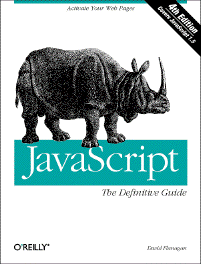
David Flanagan’s “Javascript: The Definitive Guide•” covers just about everything you need to know about Javascript in detail. While it is not a full-fledged tutorial, it does go over using Javascript step-by-step. If you’ve ever done any programming before you’ll be able to handle this just fine.
He begins by explaining that while Javascript is used mostly for web pages and web browsers, it is not specifically a client-side browser scripting language. Javascript can also be used server-side, in a similar manner to PHP, by embedding Javascript into web pages and letting the server interpret the Javascript code. Obviously, special server software is required for this to work. And I’ve even seen a Javascript module for the Macintosh that allows scripting of Macintosh applications through OSA Javascript.
I have some issues with some of his advice. For example, in discussing the advantages of Javascript, he says:
Another common use of client-side JavaScript with forms is for verification of a form before it is submitted. If client-side JavaScript is able to perform all necessary error checking of a user’s input, the CGI script on the server side can be much simpler.
Web browsers can still submit forms with JavaScript turned off, bypassing any error-checking. Worse, malicious users can completely re-write your forms, pretending to verify bad data, if your server-side CGI does not also check all data. If, for example, you sum up prices by Javascript, and don’t verify those sums in your CGI, any reasonably savvy programmer can insert their own prices, giving themselves a nice discount on your products. Client-side Javascript can be used to make things easier for the reader, but they can’t really be used to make things easier for the programmer.
For web page creators, the book is very comprehensive. It brings you up to speed on programming in Javascript, on the way Javascript handles variables, Javascript’s control structures, and its operators. Javascript is also an object-oriented language, and Flanagan devotes an entire chapter to how you use object methods and properties in Javascript, as well as how inheritance works.
Besides the basics of the language, it covers, in detail, using Javascript to control style sheets, and using Javascript with cookies. There is a long discussion about compatibility issues between browsers, versions, and platforms. Different browsers support different levels of Javascript, and the same browser on different platforms might also act differently. More importantly, different versions of Javascript can do different things, and many people will continue to use older versions of browsers after you start using a newer version of Javascript.
And of course there is extensive information on using Javascript with forms, because that’s where some of the most interesting and useful scripts are used on web pages.
After the four hundred pages of instructional sections, there are another 350 pages of in-depth reference to the Javascript language. It tries (generally successfully in my experience) to say which versions of Javascript and browsers use each Javascript function. (Note that I am reviewing the third edition, which covers Javascript 1.2.)
This is an extremely useful book if you are programming in Javascript to add simple dynamic functionality to your web pages. If you are completely new to programming you might need a more basic book as well; otherwise, this “Definitive Guide” will both get you started programming Javascript and keep you going.
But please don’t write annoying Javascripts: it just encourages more readers to turn off Javascript completely.
- David Flanagan
- “books, tools and techniques for programmers”
- Internet and Programming Tutorials
- Internet and Programming Tutorials ranging from HTML, Javascript, and AppleScript, to Evaluating Information on the Net and Writing Non-Gendered Instructions.
- Javascript: The Definitive Guide•
- An extremely useful book if you are programming in Javascript to add simple dynamic functionality to your web pages.
More HTML
- Nisus “clean HTML” macro
- The Nisus macro language is Perl; this means we can use all of Perl’s strengths as a text filter scripting language in Nisus.
- Flash on iPhone not in anybody’s interest
- Flash on iPhone is not in the interest of people who buy iPhones. The only people who really want it are poor web designers who can’t get out of 1992.
- Web display of Taskpaper file
- It is easy to use PHP to convert a Taskpaper task file into simple HTML conducive to styling via CSS.
- ELinks text-only web browser
- If you need a text browsers on Mac OS X, the ELinks browser compiles out of the box.
- iPhone development another FairPlay squeeze play?
- Why no iPhone-only applications? Is it short-sightedness on Apple’s part, or are they trying to encourage something big?
- Six more pages with the topic HTML, and other related pages
More JavaScript
- Catalina vs. Mojave for Scripters
- More detail about the issues I ran into updating the scripts from 42 Astounding Scripts for Catalina.
- Why I still use RSS
- I still use RSS because connections regularly fail, especially to Twitter.
- Converting HTML lists to text on the fly
- Switching to using lists to display code was a compromise between readability and copyability. Now that I’m creating the lists on the fly, it is easy to add features that reduce the side effects of this compromise.
- JavaScript for Beginners revised
- I’ve completely revised my JavaScript for Beginners tutorials to be more in tune with modern JavaScript, and to provide more useful examples in general.
- JavaScript for Beginners update
- The JavaScript tutorial has been updated by introducing loops earlier, and in the first section.
- One more page with the topic JavaScript, and other related pages
More programming books
- 42 Astoundingly Useful Scripts and Automations for the Macintosh
- MacOS uses Perl, Python, AppleScript, and Automator and you can write scripts in all of these. Build a talking alarm. Roll dice. Preflight your social media comments. Play music and create ASCII art. Get your retro on and bring your Macintosh into the world of tomorrow with 42 Astoundingly Useful Scripts and Automations for the Macintosh!
- Learning Python
- If you’ve been looking to learn Python, or need a new language with clearly defined scope and easy objects, this is an extremely useful book.
- AppleScript: The Definitive Guide
- AppleScript is an extremely useful tool for automating the repetitive things you do in Mac OS X applications, as well as for tying a long workflow together into a double-clickable icon. This Definitive Guide is a great reference for the AppleScript scripting language.
- Webmaster in a Nutshell
- Without doubt the best reference work for webmasters that you’ll find. It contains the “reference” part of most of O’Reilly’s web-relevant nutshell books. You can find references for HTML 3.2, the CGI standard, JavaScript, Cascading Style Sheets, PHP, the HTTP 1.1 protocol, and configuration statements and server-side includes for the Apache/NCSA webservers.
- HTML & XHTML: The Definitive Guide
- I’ve never found an HTML book that I’ve considered great. This one is probably the best. It covers just about everything in HTML, as well as a little bit of Cascading Style Sheets.
- One more page with the topic programming books, and other related pages