


On-the-fly data entry with Markdown and Perl
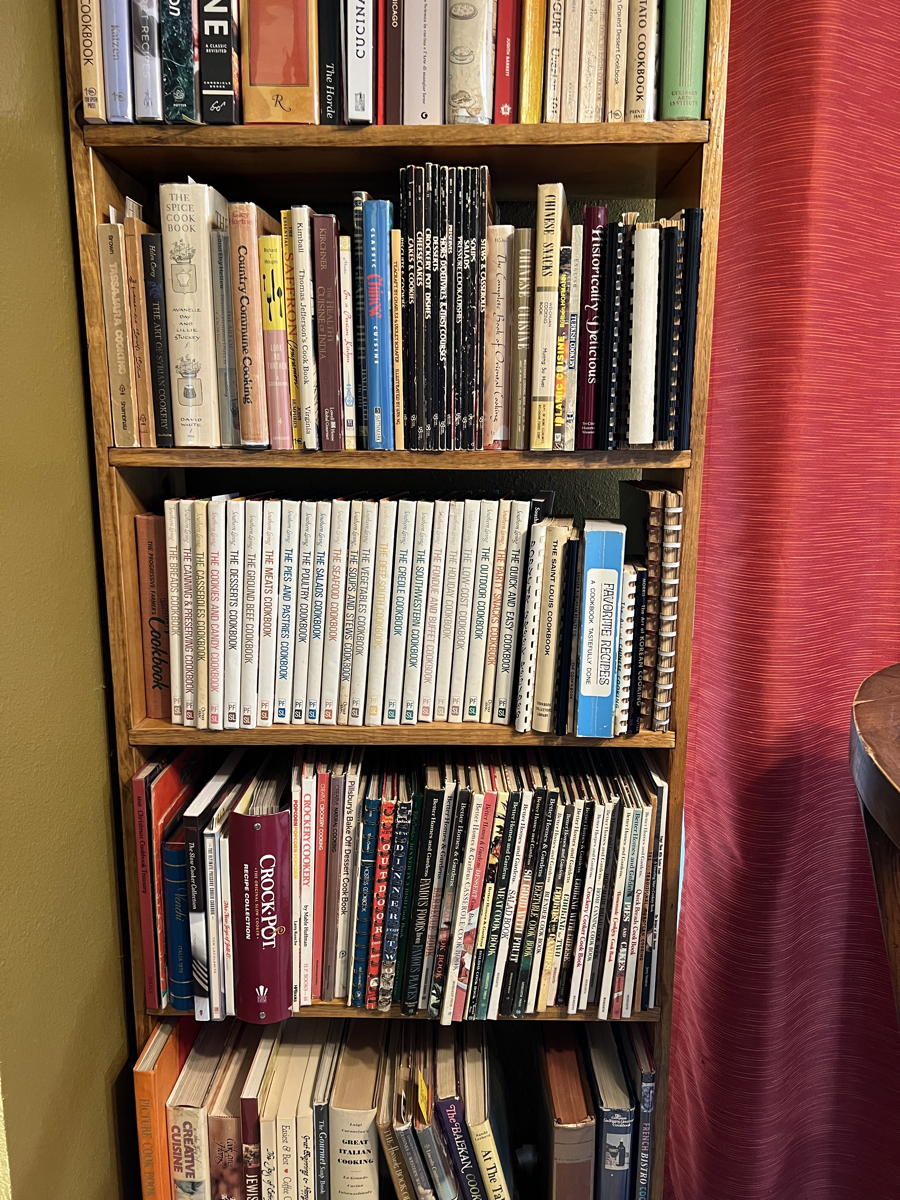
The problem with this is not that the handwriting is bad on this note (it is).
One of my resolutions this year was to start focusing on the cookbooks I already own rather than acquiring more. Whenever I buy a new cookbook, I make a note of the recipes I’d like to try most and put the list inside the front page. This means that most of my cookbooks have a postcard or notebook sheet listing the recipes I find interesting. When I want to try out a particular cookbook, I am easily reminded of what I thought was interesting about it when I bought it.
But if I want to look for a particular recipe among all of my cookbooks, that becomes an obviously more involved process. So, I decided to convert each of those paper lists into a single searchable file on my computer.
Typing that sort of thing into a database cell by cell is time consuming and annoying. It requires paying attention to the screen rather than just typing. I decided to use a faster format for typing desired recipes book by book, and then write a quick script to convert that fast format into a tab-delimited file for import into a database or spreadsheet.
As with most of my quickie text conversion scripts, that faster format looks a lot like Markdown.
Here’s what the source file ended up looking like:
- # Australia Jet Age Cookbook
- 1970
- *22 Caramel Squares (golden syrup)
- 23 Heavenly Slices
- *36 Ginger Beer
- 15 Fruit Salad Ice Cream
- # Mirro Dough Mixer & Bread Baking Kit
- 1975
- *16 Coconut Coffee Cake
- 14 Stollen
- 8 Oatmeal Bread
- *Cornmeal Bread
- 6 Health Bread
- 10 Kolaches
- *12 Hungarian Coffee Cake
- *Herb Rolls
- 15 Apple Cake
That is, I type the book title once, and the year the book was published; then, page numbers also only get typed once. Special recipes are marked with an asterisk at the start of the line. It’s very fast. I was able to do a full bookcase, a half bookcase, and the display shelf by the dinner table, all in just a few days by typing during my spare moments here and there.
The script turns that format into a file more readily readable by apps such as Google’s spreadsheet, or any database program.
| Recipe | Page | Special | Cookbook | Year |
|---|---|---|---|---|
| Caramel Squares (golden syrup) | 22 | 1 | Australia Jet Age Cookbook | 1970 |
| Heavenly Slices | 23 | 0 | Australia Jet Age Cookbook | 1970 |
| Ginger Beer | 36 | 1 | Australia Jet Age Cookbook | 1970 |
| Fruit Salad Ice Cream | 15 | 0 | Australia Jet Age Cookbook | 1970 |
| Coconut Coffee Cake | 16 | 1 | Mirro Dough Mixer & Bread Baking Kit | 1975 |
| Stollen | 14 | 0 | Mirro Dough Mixer & Bread Baking Kit | 1975 |
| Oatmeal Bread | 8 | 0 | Mirro Dough Mixer & Bread Baking Kit | 1975 |
| Cornmeal Bread | 8 | 1 | Mirro Dough Mixer & Bread Baking Kit | 1975 |
| Health Bread | 6 | 0 | Mirro Dough Mixer & Bread Baking Kit | 1975 |
| Kolaches | 10 | 0 | Mirro Dough Mixer & Bread Baking Kit | 1975 |
| Hungarian Coffee Cake | 12 | 1 | Mirro Dough Mixer & Bread Baking Kit | 1975 |
| Herb Rolls | 12 | 1 | Mirro Dough Mixer & Bread Baking Kit | 1975 |
| Apple Cake | 15 | 0 | Mirro Dough Mixer & Bread Baking Kit | 1975 |
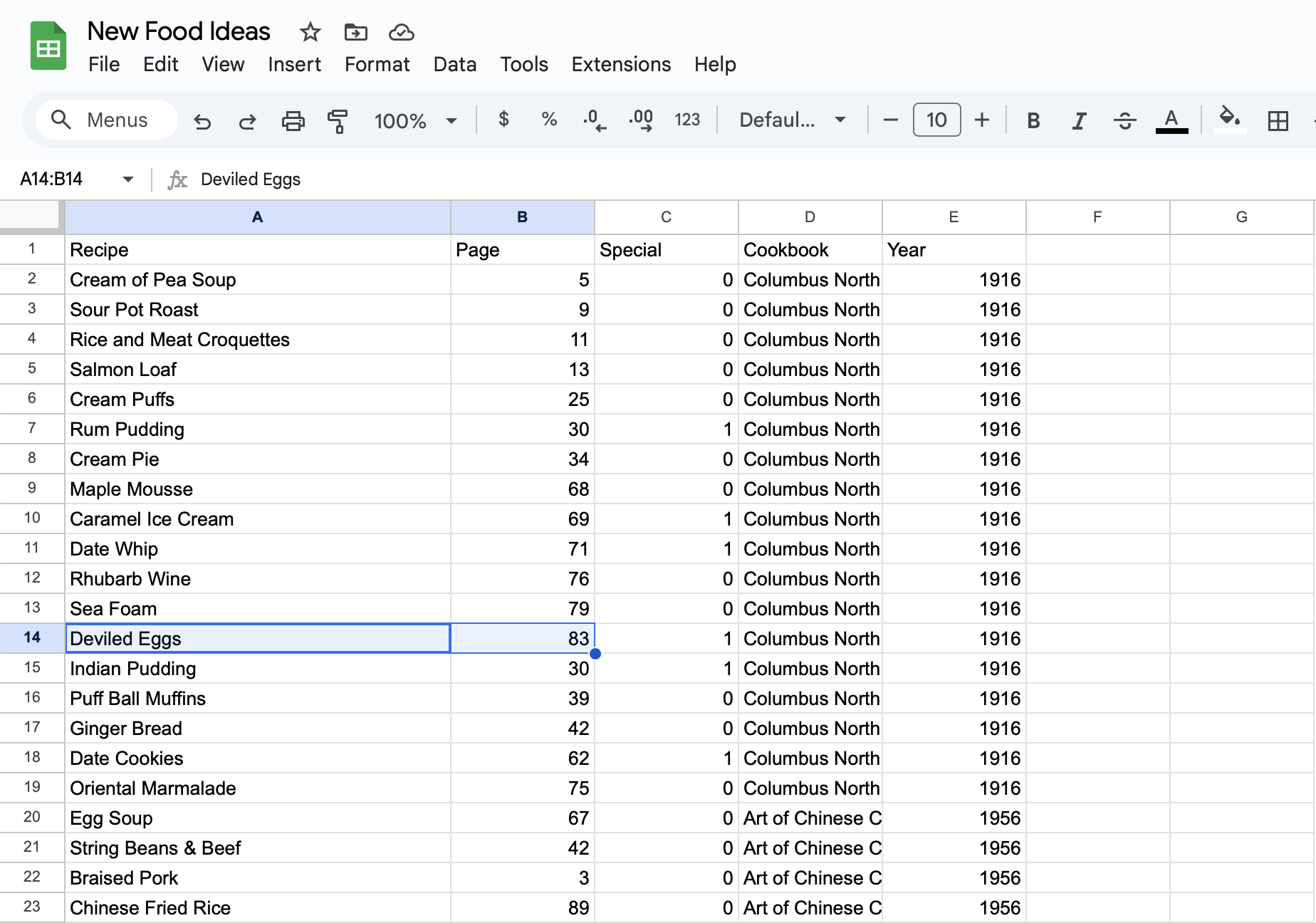
Google could be a little smarter about the import, but it worked okay. You’ll need to use View:Freeze to mark the top row as a header row.
The resulting tab-delimited file works well even using the rudimentary JavaScript data display feature built into this website. That script automatically detected the column headers, and you can click on each header to sort by that column.
This is not a difficult script in Perl. It’s all of about twenty lines, depending on how you count them. It’s a very good example of how simple scripting can make life a lot easier, at least when life involves data entry. It’s what I wrote Astounding Scripts to highlight.
[toggle code]
- #!/usr/bin/perl
- #convert a cookbook-format list into a tab-delimited file
- #Jerry Stratton astoundingscripts.com
- use open qw(:std :encoding(UTF-8));
- print "Recipe\tPage\tSpecial\tCookbook\tYear\n";
-
while (<>) {
- chomp;
- next if m/^$/;
-
if (m/^# (.*)$/) {
- $title = $1;
- $year = '';
- $page = '';
- next;
-
} elsif (m/^([12][7890][0-9]{2})$/) {
- $year = $1;
- next;
- }
- $special = s/^\*// ? 1 : 0;
- $page = $1 if s/^([0-9A.]+) //;
- die("No title for line $_\n") if $title eq '';
- die("No year for line $_\n") if $year eq '';
- print "$_\t$page\t$special\t$title\t$year\n";
- }
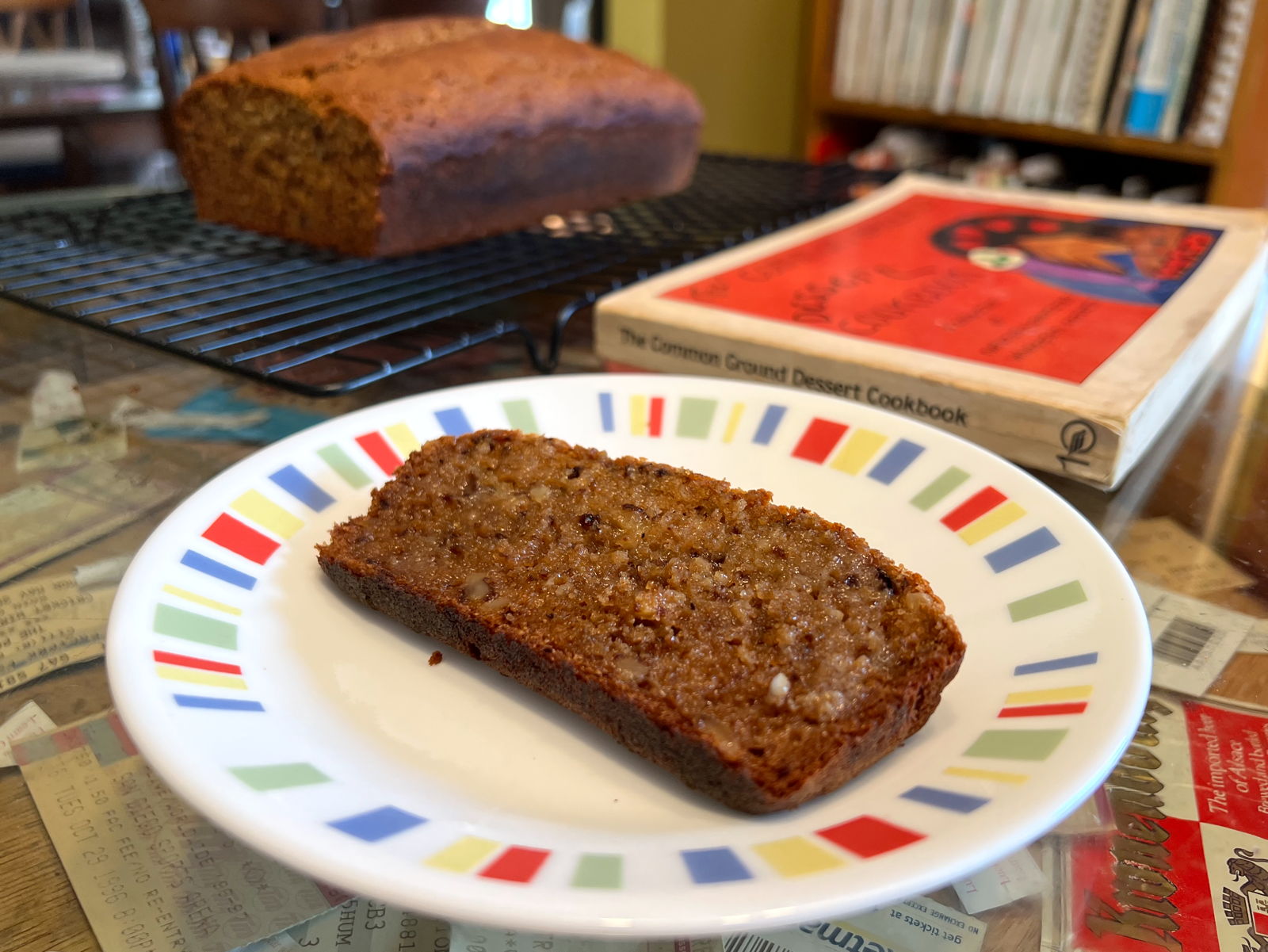
This peach walnut bread from The Common Ground Dessert Cookbook is a good example of why I need to start looking at my existing cookbooks instead of buying new ones!
The first line of code, use open qw(:std :endcoding(UTF-8));, sets up UTF-8 support. It tells Perl that any incoming text contains UTF-8 characters. I usually use UTF-8 in whatever text editor I’m writing in. If you don’t know what you’re using, you’re probably using it, too. It’s the most common method of supporting accents and other special characters.
It’s the difference between seeing “Souffle de Grùyère” in your database or “Souffle de Grùyère”.
As you can see from the sample table, each record contains five pieces: the title of the cookbook, the year of the cookbook, the title of each recipe, and the page the recipe is on. The fifth piece of data comes from the asterisk that is sometimes at the beginning of a line, such as for the Australian Caramel Squares or the Ginger Beer. The asterisk is for a “special” recipe, one I really want to try.
The first line prints out the column names: Recipe, Page, Special, Cookbook, and Year. Most, if not all, database or spreadsheet import functions will recognize the first line as column names and name your columns, or fields, appropriately and automatically from that first line.
Then the script starts looping. That is, it repeats for every line in the file or files given to it on the command line.
- notesToDB Recipes.txt > RecipeData.csv
The code while (<>) { begins the loop. The <> means to pull from standard input, which is likely to be the file of recipes I’ve typed in. It tells Perl to automatically start reading any files given to the script on the command line.
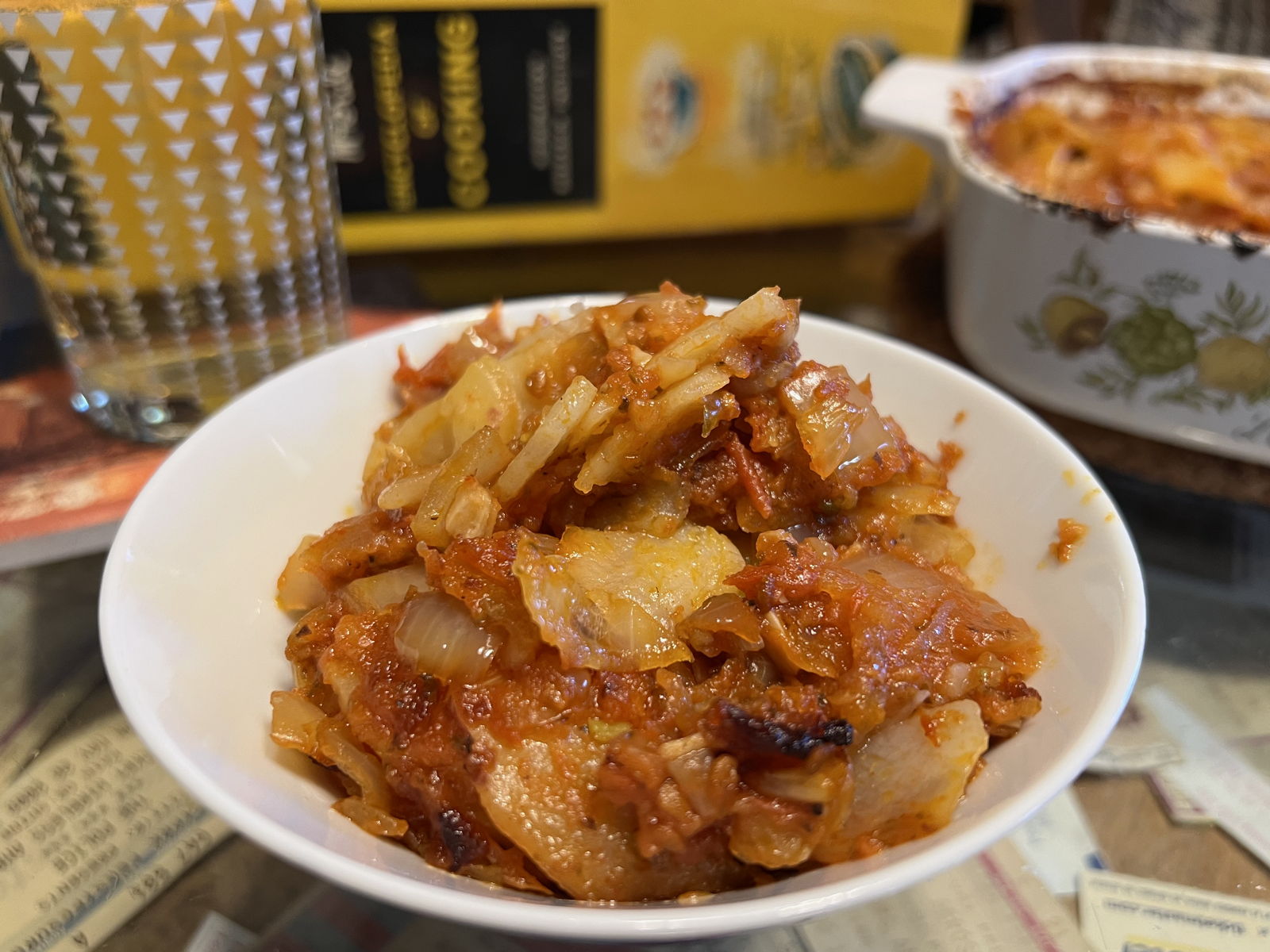
These very simple “Spanish-style” potatoes from Mary Margaret McBride’s Encyclopedia of Cooking are another good reason.
The chomp cuts off the carriage return at the end of every line.
If a line is empty, the code next if m/^$/; detects that and skips to the next line of the file. This will become more clear as the rest of the script is explained, but ^ matches the beginning of a line, the $ matches the end, and that’s all that matches: a beginning and an end with nothing in between.
Usually there’s an empty line before each new book, purely for readability.
Is it special?
As the script loops through each line, the only value it resets on every loop is whether or not the recipe is special.
- $special = s/^\*// ? 1 : 0;
Whether the asterisk is there or not, $special gets a new value every pass through the loop. This line can be rewritten in English as:
$special = 1 if the regular expression matches or 0 if it doesn’t;
That is, in pseudo-pseudocode,
$value = test ? value if test is positive : value if test is negative;
In this case, the “test” is s/^\*//. This is a regular expression, something Perl is well suited for. For most uses, there are two types of regular expressions in Perl, a match and a substitution. This line begins with an ’s’, so it’s a substitution. The format is:
- An ’s’ to say that this is a substitution.
- A slash.
- The regular expression, in this case
^\*. - Another slash.
- The replacement. If something matches the regular expression, this is what it gets replaced—that is, substituted—with.
- A final slash.
The ^ in the regular expression matches the beginning of a line. The asterisk is a special character in a regular expression, so if I actually want to match an asterisk I need to prefix it with a backslash. Thus, \* matches an asterisk.
For any line with an asterisk at the beginning of the line, this regular expression matches.
The substitution, in this case, is empty: there is nothing between the second and third slashes. When that regular expression matches—an asterisk at the beginning of a line—it is replaced with nothing. “*36 Ginger Beer” becomes “36 Ginger Beer”. “*Cornmeal Bread” becomes “Cornmeal Bread”.
This Yogurt Apple Pie has been on my “short” list since 2023.
The asterisk is removed.
But if an asterisk was removed, that means the regular expression matched, and that means the variable $special is set to 1. If an asterisk was not removed, that means the regular expression did not match, and $special is set to 0.
What page is it on?
The line that sets $page is a little different from the line that sets $special. When I have more than one recipe per page, I only need to type the page number for the first recipe. That means a different kind of test is needed. While I want to remove the page number from the recipe title if there is a page number, I do not want to modify any existing page number if there isn’t a new number.
- $page = $1 if s/^([0-9A.]+) //;
This line of code only assigns a value to $page if the regular expression matches. The regular expression s/^([0-9A.]+) // is another substitution. It, also, is anchored to the beginning of the line by way of the ‘^’. In a regular expression, a set of parentheses remembers that part of the match for later.
Here, the parentheses surround [0-9A.]+. The characters between square brackets are a set of possible matches. The set matched here are any digit from 0 to 9 along with a capital A and a period.
The dash in “0-9” means any character from zero to nine.1
The reason I want periods (and the letter A) to match is that some books (mainly the El Molino Best cookbook) use letters for numbering similar recipes. Some (such as collections of multiple books) restart page counts partway through, so that there is a page number 5 in section 1, and it resets to a page number 1 in section 2, and so on. I use a period for those: 2.5 is section 2, page 5.2
The + symbol in a regular expression means, “at least one of the previous character, up to any amount”. From that set, any amount of digits, A, and a period, will match.
Finally, the final character in the regular expression is a space. There must be a space after the page number and before the recipe title. This line will turn “36 Ginger Beer” into “Ginger Beer”, remembering “36” as the page number. It will leave “Cornmeal Bread” alone, and leave the page number what it was before (in this case, it will be the 8 from the Oatmeal Bread above it).
I needed a frosting for cupcakes I made for my Independence Day food post, and found a Harvest Walnut Frosting I’d been wanting to make.
The page number, if there is one, will be in $1, that is, in the “first” match. You can have more than one set of parentheses in a regular expression, and each will be placed, in order, in $1, $2, $3, etc.
What is the book title?
Every recipe must appear in a “book” and each book must have a year. I enforce that with these lines:
- die("No title for line $_\n") if $title eq '';
- die("No year for line $_\n") if $year eq '';
If either $title or $year are empty, the script dies with an error.
Page numbers aren’t necessary. Only book title, year, and recipe title are necessary. Some pamphlets or sliders don’t have page numbers or even recipe numbers.
The script recognizes a title as a line that begins with a single pound sign and a space:
- if (m/^# (.*)$/) {
This is a match regular expression. It begins with the letter ‘m’. The format for a match is the same as the format for a substitution, except that it doesn’t need the replacement.
- An ’m’ to say that this is a match.
- A slash.
- The regular expression, in this case
^# (.*)$. - A final slash.
Like all of the regular expressions in this script, it is anchored to the beginning of the line. It is also anchored to the end of the line: the dollar sign means “the end of the line”. So ^# (.*)$ matches if the entire line matches # (.*).
The line must begin with a pound sign (‘#’) and a space. The parentheses will remember whatever matches .*. A period in a regular expression is any character. It doesn’t matter what the character is, it will match. The asterisk—remember that the asterisk has a special meaning?—matches any number of the previous character. You will see .* a lot in regular expressions. It means any amount of any character. “Any amount” can mean zero, or one, or more than one.
This 1916 Spanish Soup with Olive Butter from Table & Kitchen has been on my list for a while, too.
In other words, whatever follows a pound sign and a space, this script will interpret as the title of a new cookbook. It will even match nothing as the title, but the die command that checks that $title isn’t empty will catch that. This ensures that I don’t get distracted and forget to type the title after typing pound space.
Once the script detects the title of a new book, everything gets reset. It doesn’t make sense to maintain page numbers across different books. It could make sense to enter the books in chronological order so that the year might match, but I didn’t do it that way. For one, I often forget to type the year, and resetting it gives me a reminder that I forgot. The script will die with an error if there is no year.
The next command in Perl skips the rest of the loop and goes back to the top for the next line of text.
What is the book’s year?
The script detects any line with four numbers and nothing else as a year, if the first digit in the number is a 1 or a 2 and the second digit is a 7, 8, 9, or 0.
Thus, it will recognize 1700 as a year, and it will recognize 2025 as a year. It will not recognize 2125 as a year (there’s a 1 in the second spot and it needs to be a 7, 8, 9, or 0). Nor will it recognize 3832 as a year (there’s a 3 in the first spot, and it needs to be a 1 or a 2).
In other words, only numbers from 1000 to 1099 and 1700 to 2999 match as a year.
I have to allow the 1700s because the earliest cookbook in my collection is the 1796 American Cookery. The only reason it goes all the way to 2999 is to match the high end of the 1800s and the 1900s. If I live to 2999 I’ll be very impressed. And probably no longer using this script in any case. Similarly, that 1000 through 1099 match is a side effect of being in a new century with a new first digit. I want to match a one at the beginning for the 1700s, 1800s, and 1900s; and I want to match a zero in the second digit for the 2000s.
There are ways to avoid those spurious matches, but they’re not worth the trouble in this case.
Here’s the regular expression that handles those rules:
- } elsif (m/^([12][7890][0-9]{2})$/) {
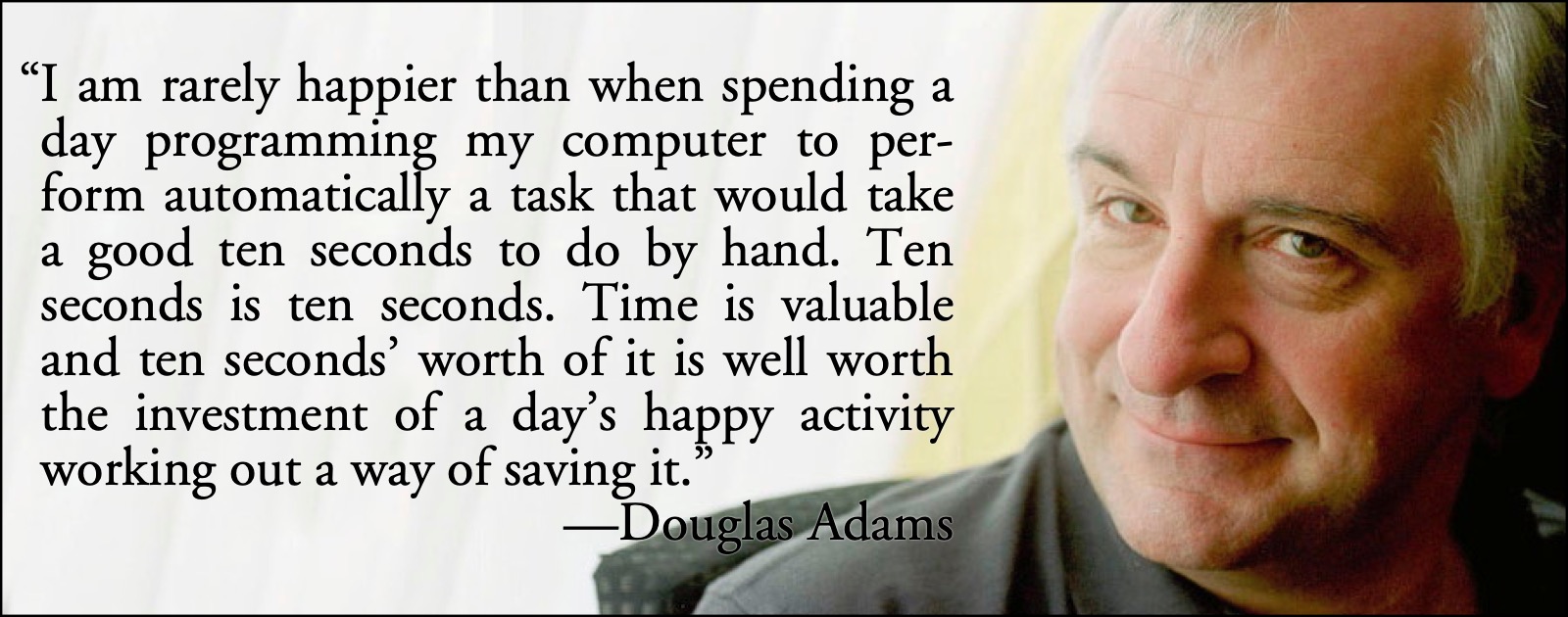
I often quote Douglas Adams’s joke on the tradeoff between time saved by programming and time used by programming. In this case, the tradeoff was so lopsided it was a no-brainer even without the joke.
The ^ requires that the regular expression match at the beginning of the line. The $ at the end requires that it match at the end of the line. This means that there can be no extraneous text. The text must be those specific four digits, with nothing else on the line.
Square brackets, remember, are a set of characters. The [12] matches a one or a two. The [7890] matches a 7, 8, 9, or 0. This matches the 1700s, the 1800s, the 1900s and the 2000s, as well as some centuries I’m not likely to need: the 1000s, the 2700s, the 2800s, and the 2900s. The [0-9]{2} matches exactly two digits. Any number from 00 to 99 will match the final two digits of the regular expression.
Thus, that regular expression will match only four digit numbers that begin with a one or a two, continue with a seven, eight, nine, or zero, and end with exactly two of any number from 0 to 9.
And then next skips the rest of the loop, because this is a year and not a recipe.
Print the tab delimited data
At the end of every loop, unless a next command skipped over it, the record is printed:
- print "$_\t$page\t$special\t$title\t$year\n";
The code $_ means “whatever remains in the line at this point”. We’ve already removed any asterisk and any page number, so the recipe title is all that remains in the line. The code \t means a tab. And $page, $special, $title, and $year are the variables that contain those pieces of data.
The title and year of the cookbook are maintained until the next Markdown headline and the next appearance of a year. Any page number is maintained until either a new page number, or a new book title.
This is a basic script for making it easier to enter lots of data quickly. The only thing special about this script is that there is absolutely nothing special about it. It’s just the basic kind of filter that makes data entry easier and more reliable at the same time. The same technique can be used with any data entry where it’s easier to type freeform than to type record by record.
Which it usually is.
If I also want to match a dash in a square bracket set, the dash has to be the last character in the set. Otherwise, it looks like a range. So, if I wanted all of the digits plus a dash to match, I would use
↑[0-9-].I originally used a dash to denote section-page. However, sorting pages numerically is a useful thing to be able to do. Dashes turn the page number into a string, which will sort alphabetically. Periods turn the page number into a number with decimals, which will sort numerically.
↑
- 42 Astoundingly Useful Scripts and Automations for the Macintosh
- MacOS uses Perl, Python, AppleScript, and Automator and you can write scripts in all of these. Build a talking alarm. Roll dice. Preflight your social media comments. Play music and create ASCII art. Get your retro on and bring your Macintosh into the world of tomorrow with 42 Astoundingly Useful Scripts and Automations for the Macintosh!
- El Molino Best: Whole grains in 1953
- El Molino Mills of Alhambra, California, published a fascinating whole grain cookbook in 1953.
- The missing indexes
- Whoever decided that cookbooks don’t need indexes was never stuck hungry at one o’clock in the morning with nothing but a pepper, a tomato, and a couple of cloves of garlic, and a craving for brownies.
- A Monticello Meal for Independence Day
- Marie Kimball’s Thomas Jefferson’s Cook Book provides several pot-luck friendly dishes for your Fourth of July celebration this Semiquincentennial.
- Rumford Recipes Sliding Cookbooks
- One of the most interesting experiments in early twentieth century promotional baking pamphlets is this pair of sliding recipe cards from Rumford.
- Table and Kitchen: Baking Powder Battle
- The Royal Baking Powder Co. was a very combative entrant in the baking powder wars. But that kind of competitive spirit can also mean great recipes.
- A Vicennial Meal for the Sestercentennial
- In 1776 we were too busy to write commemorative cookbooks. But in 1796 “Amelia Simmons, American Orphan” published the first known American cookbook. It’s a celebration of American foods, American values, and American economies.
More Perl
- Simple .ics iCalendar file creator
- A simple Perl script to create an ics file from a human-readable text of events.
- No premature optimization
- Don’t optimize code before it needs optimization or you’re likely to create unoptimized code.
- Using Term::ANSIColor with GeekTool
- Rather than using the raw codes directly, Perl (at least on OS X) comes with Term::ANSIColor built in.
- Nisus HTML conversion
- New features in Nisus’s scripting language make HTML conversion almost a breeze.
- Nisus “clean HTML” macro
- The Nisus macro language is Perl; this means we can use all of Perl’s strengths as a text filter scripting language in Nisus.
- Four more pages with the topic Perl, and other related pages
More regular expressions
- Simple .ics iCalendar file creator
- A simple Perl script to create an ics file from a human-readable text of events.
- Random table rolls
- As often as not, when you roll on a random table you are rolling a random number of times. Now that we have a dice library, we can turn the roll count into a die roll.
- Automatically link related URLs in Django
- One of the features of my old blog and my new Django CMS is autolinking the URLs that I mention in the text.
More Writing Astounding Scripts
- Hello World in Amber
- A hello world too retro even for me.
- A thousand points of color: give your photos a pointillist turn
- I had far too much fun with that kleenex mask in the book. Here’s a more serious look at creating pointellated images using the asciiArt script in 42 Astounding Scripts.
- About Astounding Scripts
- Because I can!